Log time at the speed of thought
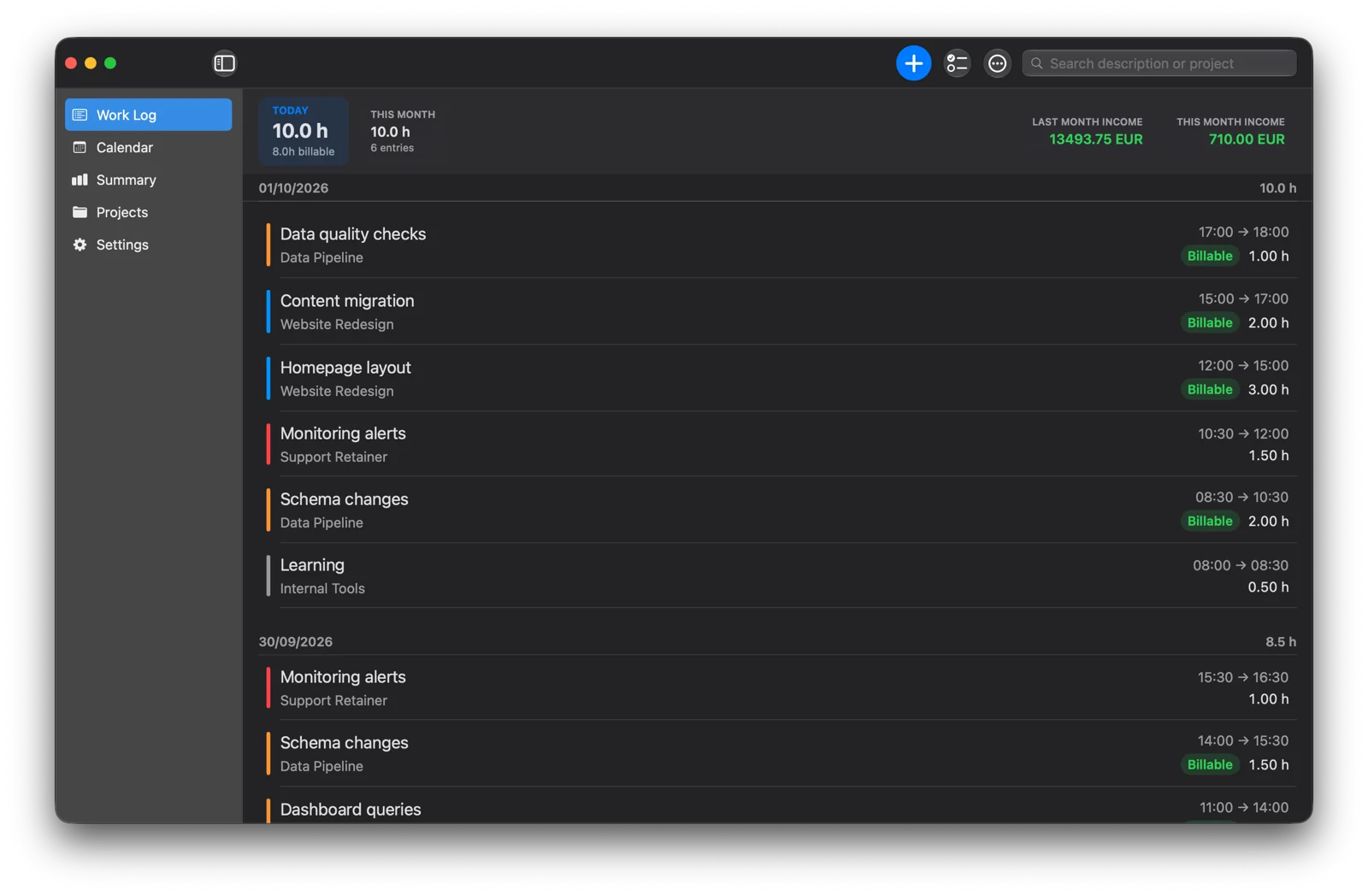
Press ⌘N and the new entry already starts where your last one ended. Pick a project, hit Return, done. Or run a timer from the menu bar.
Hourio is the time tracker for freelancers who bill by the hour. Log work in seconds, get every evening, night and weekend hour paid at the right rate — and keep your data on your own Mac.
Free early preview · macOS 14 Sonoma or later · No account needed
No team dashboards, no screenshots of your screen, no seat licenses. Just your hours, your clients, and what they owe you.
Press ⌘N and the new entry already starts where your last one ended. Pick a project, hit Return, done. Or run a timer from the menu bar.
Today's hours, this month's total, and your income for this and last month — always at the top of your Work Log.
EUR this month
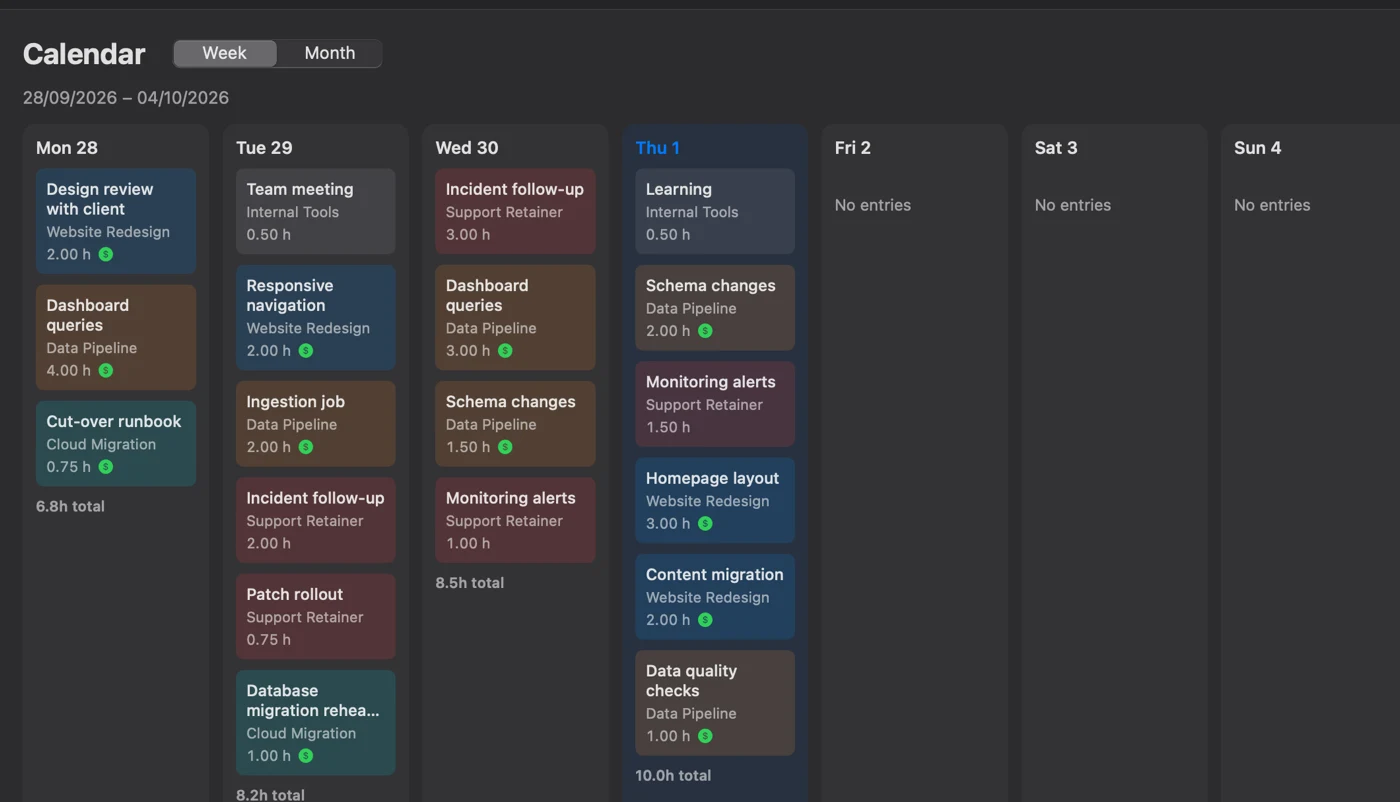
Every day's work in one view. Drag an entry to another day to move it; billable work is marked in green.
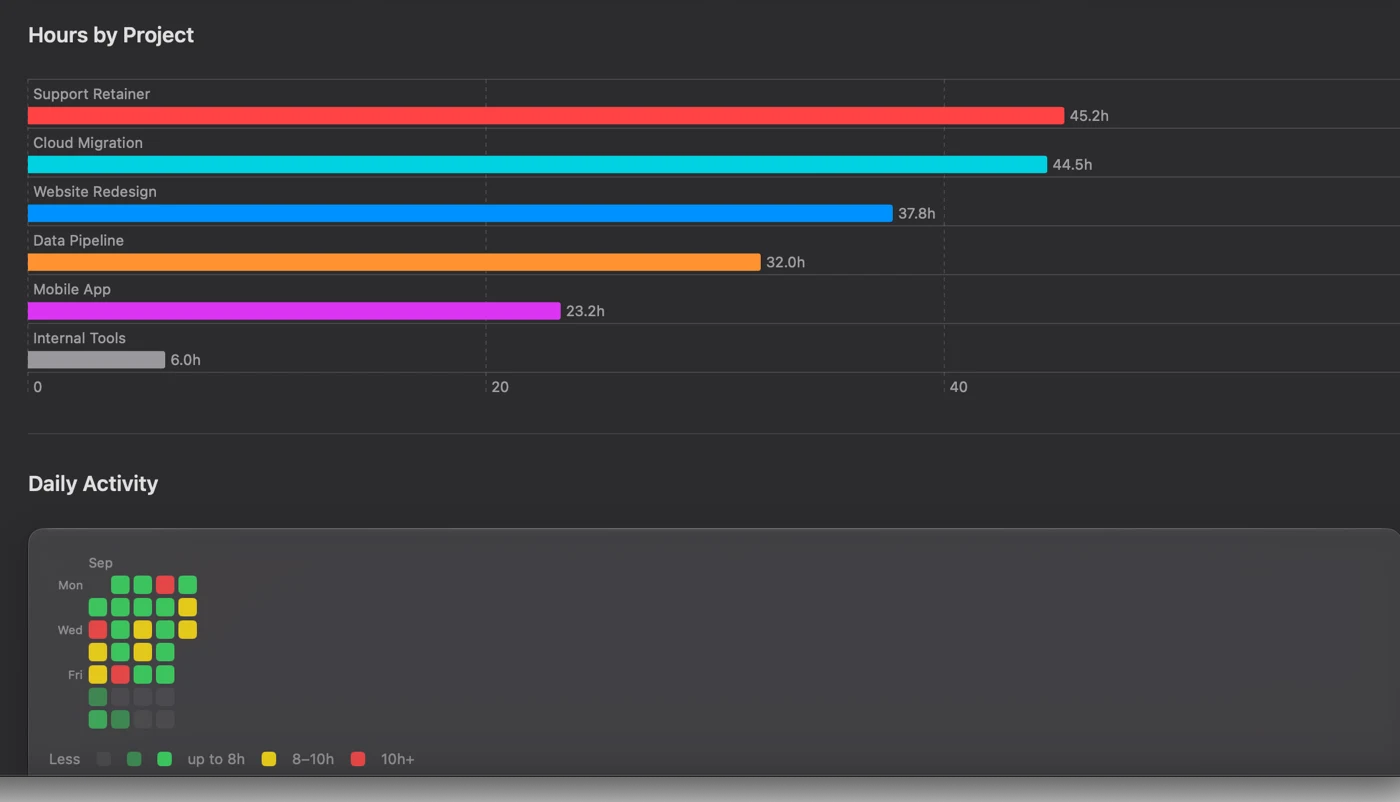
Hours by project, and a daily heatmap that flags long days — with limits and colors you choose.
PDF reports and CSV or Excel exports for any range, with billing amounts included if you want them.
A daily, weekly or monthly nudge to log your time, so nothing goes unbilled.
An illustrated, searchable manual in your language — press ⌘? anytime.
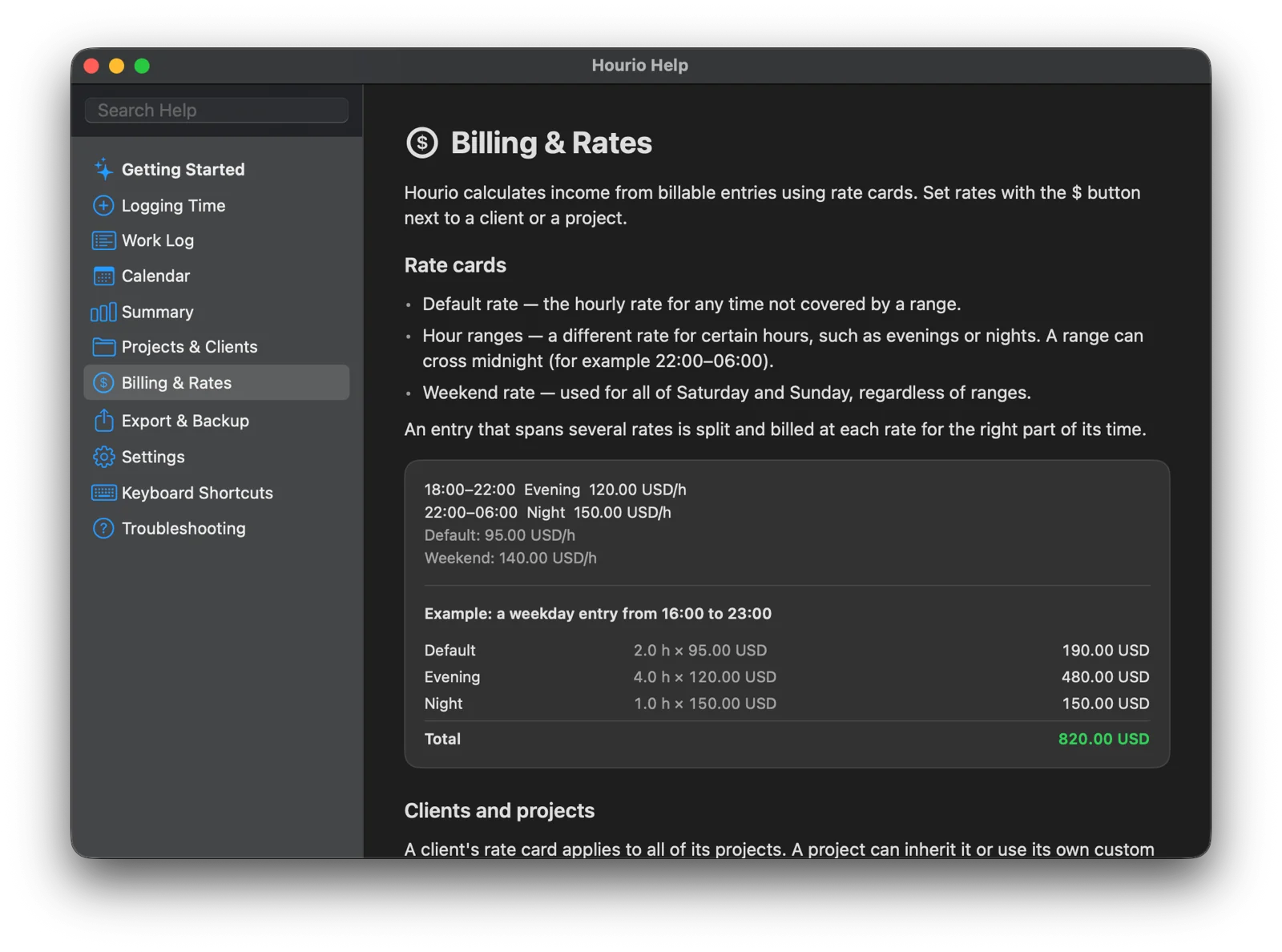
Give each client a rate card: a default rate, special rates for chosen hours, and a weekend rate. Hourio splits every entry across them automatically. Try it:
Same rules as in the app. Rates are an example — you set your own, in any currency.
Your client list and income are nobody's business. Hourio works without an account and keeps everything on your Mac.
Everything lives in a single file on your Mac. Hourio works fully offline.
Turn on iCloud Drive storage to use the same data on another Mac — through your own iCloud, not our servers.
Back up everything to one file, or export to CSV, Excel and PDF whenever you like. No lock-in.
Create clients and projects, and set their rates once.
Add entries with ⌘N or run a timer — Hourio fills in the times for you.
See income per month and export billing-ready reports for your invoices.
 Early preview
We're inviting freelancers to try Hourio before launch. Tell us how you work, and get early builds on your Mac.
Request early accessFreelancers, contractors and consultants who bill by the hour — especially if your rates change for evenings, nights or weekends.
No. There's no sign-up and no login. Install the app and start tracking.
On your Mac. If you turn on iCloud Drive storage, it's kept in your own iCloud Drive so you can use it on another Mac. You can back up or export everything at any time.
Hourio runs on macOS 14 Sonoma or later.
Not yet — Hourio is a Mac app first. Tell us if you need another platform; it helps us decide.
Pricing isn't decided yet, and we'd love your opinion on it. The early preview is free.
Request early access by email and we'll send you a build with instructions.